SPIDEV.
Since January 2026 you often hear: “Meta banned AI chatbots on WhatsApp”. It is half true. What Meta banned is something else, and for most businesses that want to serve, sell or collect with an AI agent on WhatsApp, the answer is yes, you can. What did change — and what belongs in your budget — is the cost.
The short answer
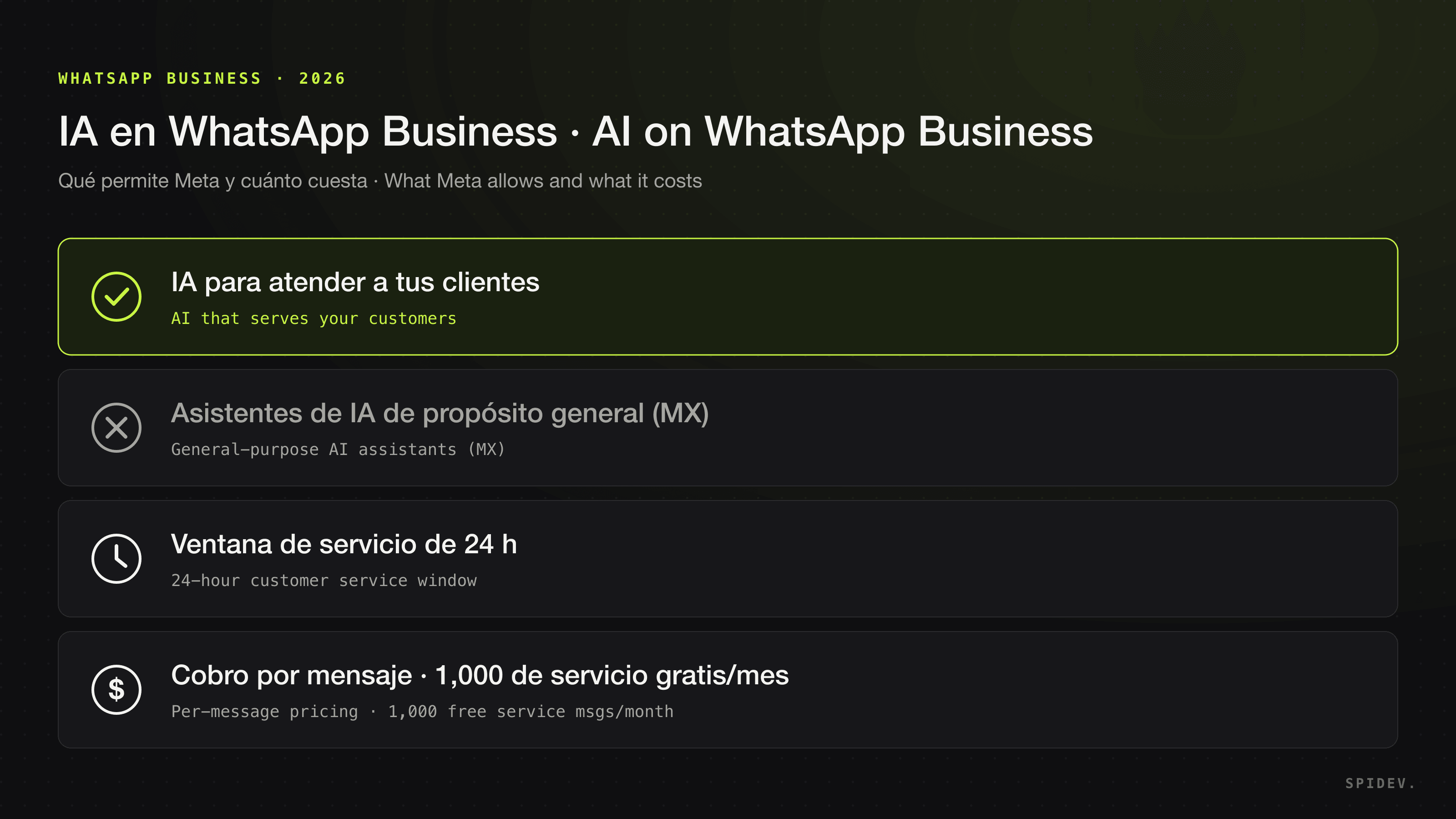
- You can use an AI agent on WhatsApp Business to serve, sell to, book and collect from your customers.
- You cannot offer general-purpose AI assistants when AI is the main product, except in countries where the law requires Meta to allow it. Mexico is not on that list.
- It is charged per message. Since 1 July 2025 Meta charges per delivered message, and since 1 October 2026 it charges for messages that used to be free.
What Meta banned, and what it did not
The “AI Providers” section of the Meta Terms for WhatsApp Business Platform prohibits providers and developers of AI technologies — large language models, generative AI platforms, general-purpose AI assistants — from using the platform to offer those technologies when they are the primary functionality rather than an incidental or ancillary one.
According to TechCrunch, the change took effect on 15 January 2026 and affected assistants such as OpenAI’s ChatGPT, Perplexity, Luzia and Poke. In the same report Meta confirmed that the change does not affect businesses using AI to serve their customers; in its spokesperson’s words: “The purpose of the WhatsApp Business API is to help businesses provide customer support and send relevant updates.”
After competition authorities in Italy, Brazil, the European Union and Türkiye acted against the change, Meta allows AI providers to offer general-purpose assistants only in markets where it is legally required to: Italy, Brazil, the rest of the European Economic Area and Türkiye. Mexico is not on the list.
In practice: an agent that serves your business’s customers — your products, your orders, your appointments, your collections — is exactly the use case the platform exists for. Keeping the agent focused on your business is also what makes it useful.
What if my agent uses a model from OpenAI, Anthropic or another provider?
The terms let you retain an AI provider as your solution provider. The condition: platform data may not be used to create, develop, train or improve AI models, except to fine-tune a model for your company’s exclusive use. Ask your provider how it meets that condition.
The 24-hour customer service window
According to Meta’s pricing documentation, when a customer messages or calls you a 24-hour timer starts — the customer service window — and it resets every time they write again. While the window is open you can reply with free-form messages; when it is closed you can only reach them with approved templates.
For an AI agent this shapes the design:
- Answers to what the customer asks go inside the window, as free-form messages.
- Anything proactive — payment reminders, appointment confirmations, follow-ups with a lead who went quiet — needs approved templates if the customer has not written in the last 24 hours.
- The agent needs to know which case it is in before sending anything.
What it costs: per-message pricing
Since 1 July 2025 Meta charges per delivered message instead of per conversation. The main categories are marketing, utility, authentication and service, and the price depends on the recipient’s country and the category. Messages your customers send you are not charged.
On 1 October 2026 Meta started charging for messages that used to be free:
- Service messages: each WhatsApp Business phone number gets 1,000 free service messages a month; from the 1,001st message they are charged.
- Utility messages inside the window: utility templates sent in response to a customer, with the window open, are now charged at the regular rate.
List rates in US dollars per delivered message, effective 1 October 2026, from Meta’s rate card. In these markets, service costs the same as utility and authentication:
- Mexico: marketing US$0.0397; utility, authentication and service US$0.0085 (on the peso rate card, MXN 0.7298 and MXN 0.1565).
- Colombia: marketing US$0.0125; utility, authentication and service US$0.0008.
- Chile: marketing US$0.0889; utility, authentication and service US$0.0200.
- Peru: marketing US$0.0703; utility, authentication and service US$0.0300.
- Argentina: marketing US$0.0618; utility, authentication and service US$0.0260.
- Brazil: marketing US$0.0625; utility, authentication and service US$0.0068.
- Rest of Latin America (15 markets, including Costa Rica, Ecuador, Guatemala, Panama, the Dominican Republic and Uruguay): marketing US$0.0740; utility, authentication and service US$0.0113.
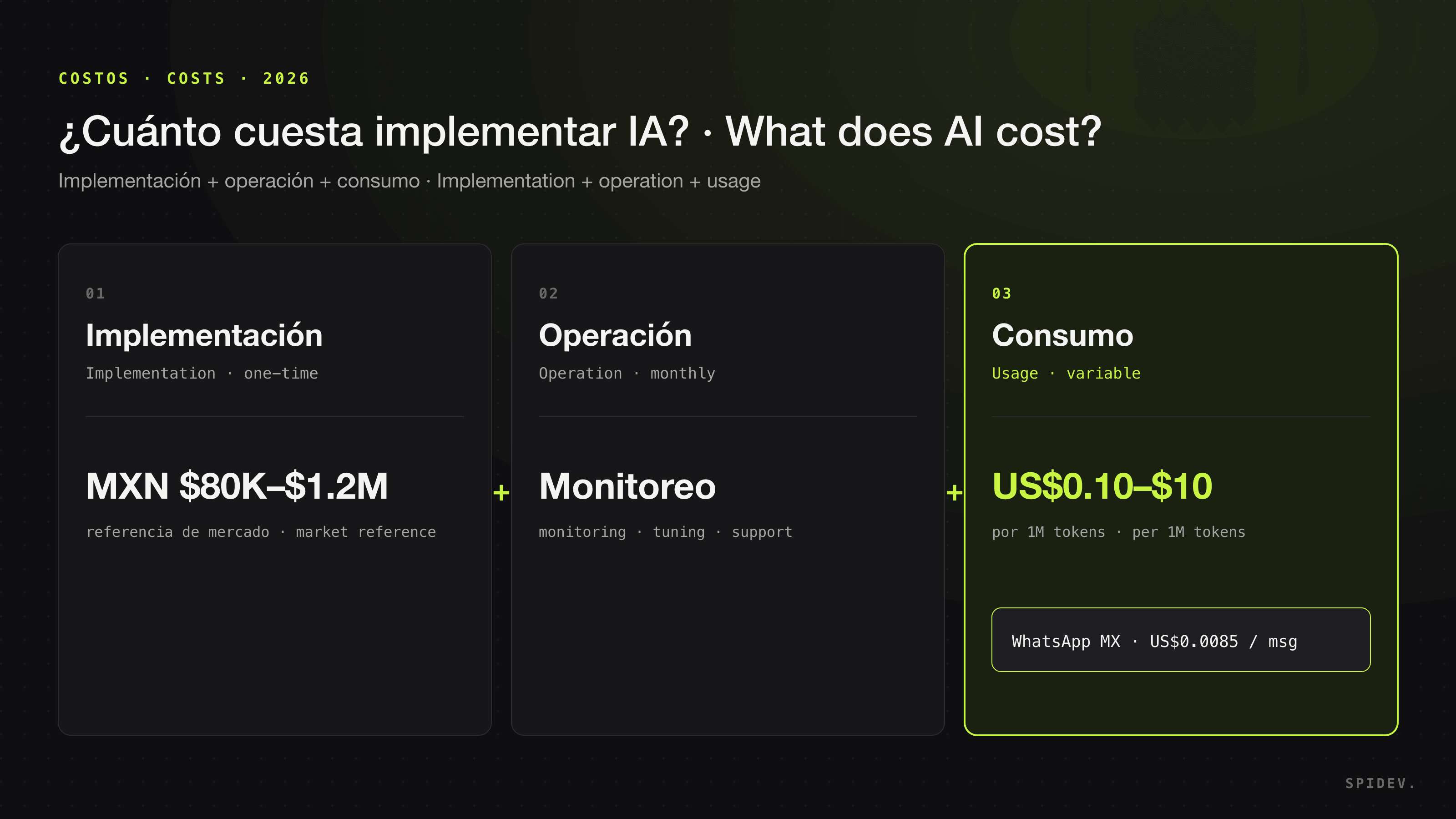
Meta can only change prices on the first day of each quarter, so check the rate card before you budget. What matters: an agent that talks a lot generates usage, and that usage belongs in the budget from day one — separate from the cost of building and running the agent. We ran the full numbers, including the AI model, in how much AI implementation costs.
Checklist before launching your WhatsApp agent
- Define the scope: what the agent handles for your business and what it escalates to a person.
- Design for the 24-hour window and prepare the templates you will need for proactive messages.
- Estimate message usage by category and put it in the budget.
- Connect the agent to your systems — CRM, calendar, ERP — so it acts instead of just answering, and logs every conversation.
- Escalate to a person with full context when a case needs it.
- Review your privacy notice: Mexico’s personal data law requires you to disclose how you process your customers’ data. We cover it in how to choose an AI company in Mexico.
How we do it at Spidev
At Spidev we design, build and operate WhatsApp AI agents that reply in your brand’s voice, qualify leads, book appointments, send payment reminders and update your CRM, escalating to your team when it matters. All focused on your business, connected to the tools you already use and with every action logged.
If you want to know what an agent would look like on your WhatsApp and how much usage it would generate, book a free consultation: we review your case and hand you a fixed-scope, fixed-price proposal.
Frequently asked questions
Did Meta ban AI chatbots on WhatsApp Business?
Not for businesses that use AI to serve their customers. Since 15 January 2026, Meta’s terms prohibit AI providers from using the WhatsApp Business Platform to offer general-purpose AI assistants when AI is the primary functionality. Meta allows those assistants only in countries where it is legally required to; Mexico is not on that list.
Can I use ChatGPT, Claude or another model on my company’s WhatsApp?
You can use AI models behind your own customer-service agent, because there AI is a feature of your service rather than the product you offer. Meta’s terms let you retain an AI provider as your solution provider, but they do not allow platform data to be used to create, train or improve AI models, except to fine-tune a model for your company’s exclusive use.
How much does it cost to send WhatsApp Business messages?
Meta charges per delivered message depending on the country and the message category (marketing, utility, authentication and service, among others). Messages your customers send you are not charged. Since 1 October 2026, each phone number gets 1,000 free service messages a month and utility messages sent inside the customer service window are charged. In Mexico, as of October 2026, a marketing message costs US$0.0397 and a utility, authentication or service message US$0.0085; rates vary by country.
What is WhatsApp’s 24-hour customer service window?
It is the 24-hour period that starts when a customer messages or calls you, and that resets with each new message from them. Inside that window you can reply with free-form messages; outside it you can only send approved templates.
Can an AI agent send payment reminders on WhatsApp?
Yes. If the customer has not written to you in the last 24 hours, the reminder has to go out as an approved template; inside the service window it can be a free-form message. Either way, log every send in your CRM or ERP and escalate disputed cases to a person.