SPIDEV.
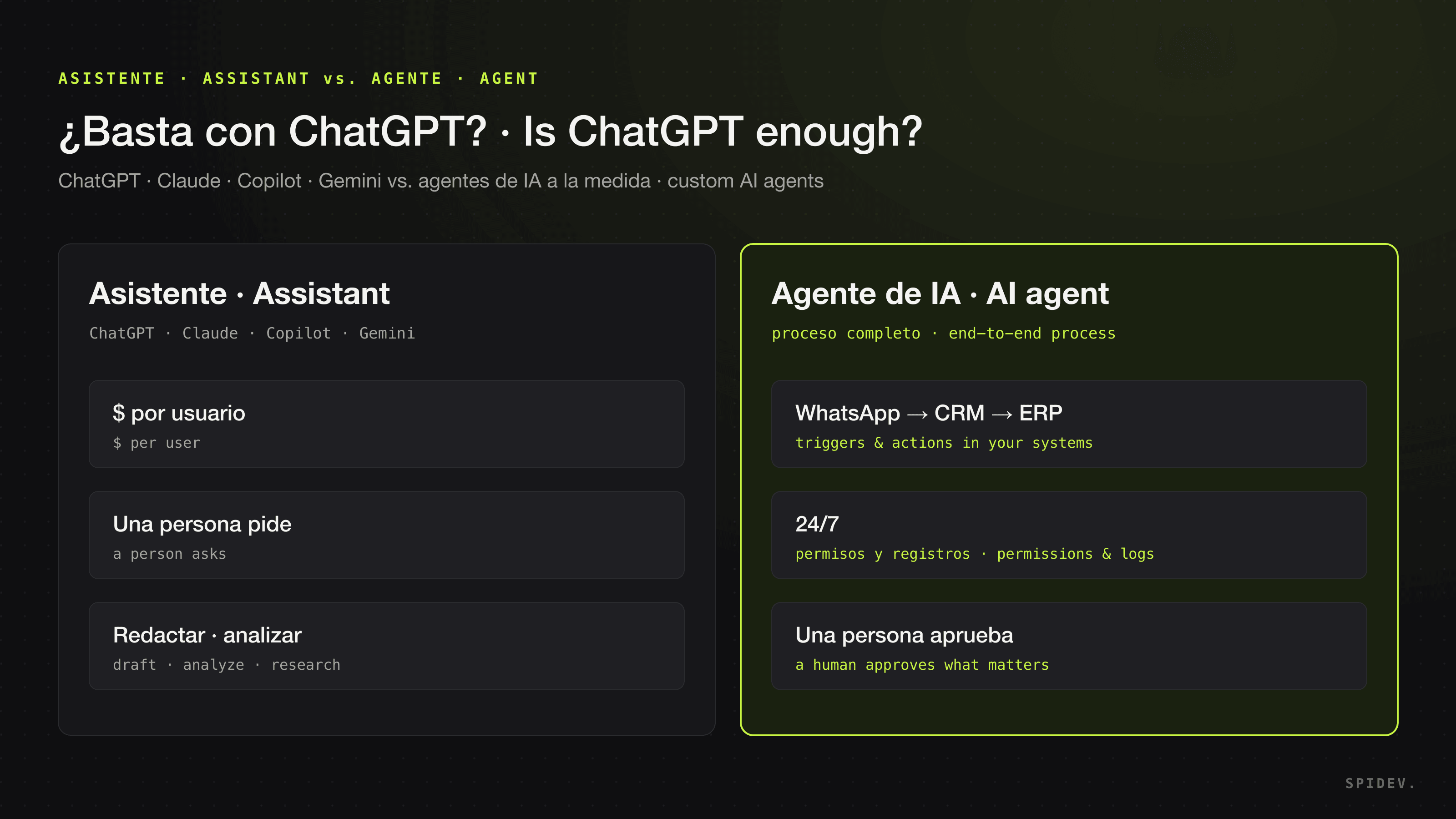
An AI assistant such as ChatGPT, Claude, Microsoft 365 Copilot or Gemini makes each person on your team faster. A custom AI agent takes a whole process off your team: it responds, looks things up and records them in your systems without anyone having to ask. If your work is mostly writing, analyzing and researching, an assistant is enough; if it is “every time X happens, do Y in WhatsApp, the CRM and the ERP”, you need an agent.
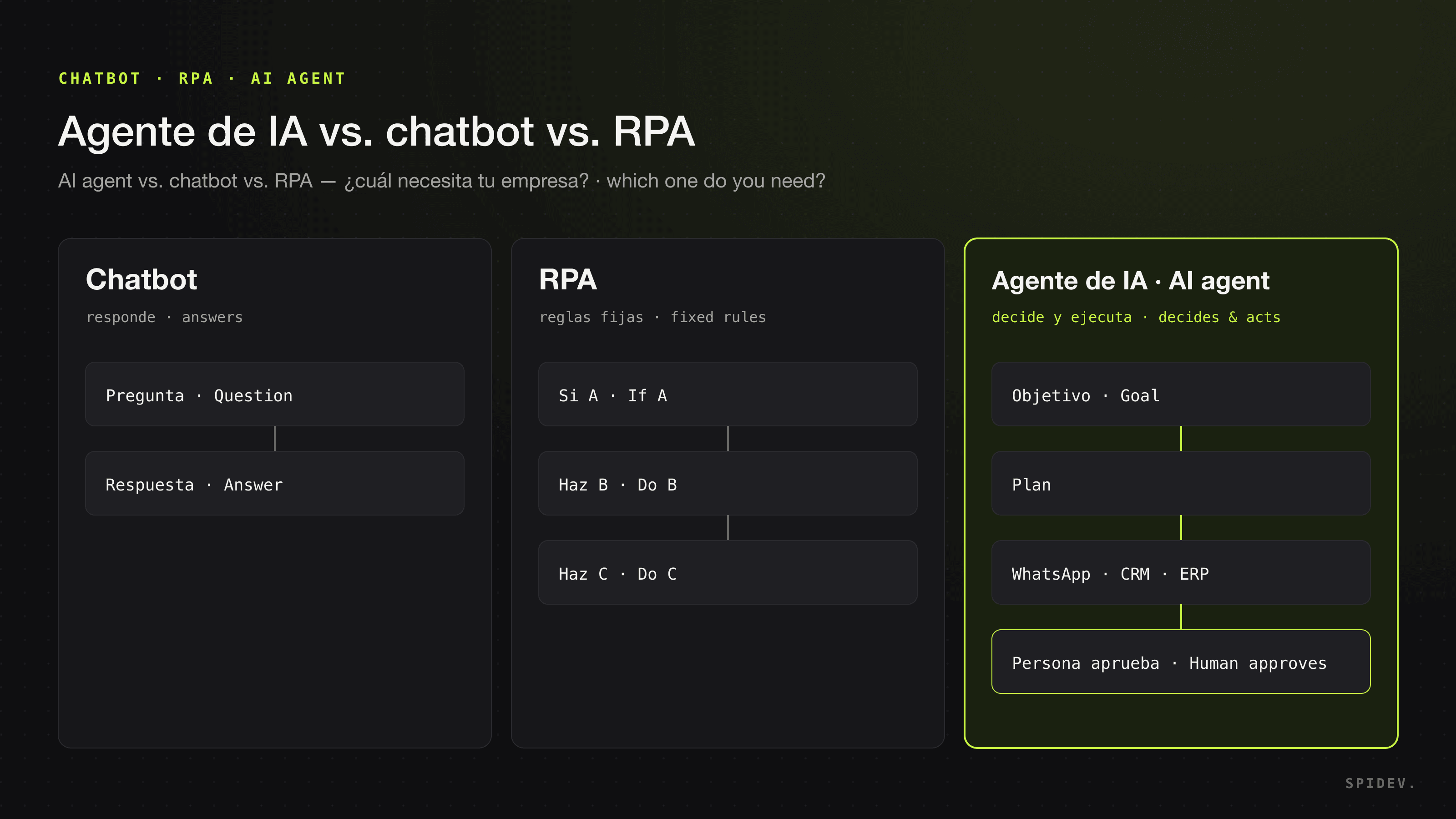
Below we compare the four business plans as of October 2026, look at where they stop and give you a checklist to decide. If the difference between an agent, a chatbot and rule-based automation is still fuzzy, start with AI agent vs. chatbot vs. RPA.
What do the business plans of ChatGPT, Claude, Copilot and Gemini include?
All four charge per user, connect to other tools and already ship agent features for multi-step tasks. Prices are as each vendor publishes them as of October 2026 and vary by country, currency and billing period.
ChatGPT Business and Enterprise (OpenAI)
ChatGPT Business, the plan formerly called ChatGPT Team, costs $20 per user per month billed annually or $25 billed monthly for a Standard seat in most countries, and $100 or $125 for a Premium seat, with a two-seat minimum (OpenAI). It includes apps that connect it to internal sources and third-party applications, ChatGPT Agent, Deep Research and ChatGPT Work: give it a goal and it makes a plan, completes the work and checks in when it needs your input or approval. Enterprise is sold through sales. OpenAI states: “By default, we do not use your business data for training our models,” and the same applies to data accessed from connected apps (OpenAI enterprise privacy).
Claude Team and Enterprise (Anthropic)
Claude’s Team plan is for teams of 2 to 150 people: a Standard seat costs $20 per month billed annually or $25 billed monthly, and a Premium seat, with five times more usage, $100 or $125. Enterprise costs US$20 per seat per month billed annually with a 20-seat minimum, plus usage at API rates (Claude pricing). Team includes connectors to tools such as Google Drive, Gmail, Microsoft 365, Slack or HubSpot; skills that package your organization’s knowledge; and Claude Cowork, which takes a goal and works across your files and tools, including scheduled tasks that run unattended. Anthropic states: “By default, we will not use your inputs or outputs from our commercial products (e.g. Claude for Work, Anthropic API, Claude Gov, etc.) to train our models” (Anthropic policy).
Microsoft 365 Copilot
On Microsoft’s US page, Microsoft 365 Copilot for enterprise, an add-on to a Microsoft 365 license, costs $30.00 per user per month paid yearly, or $31.50 paid monthly with an annual commitment (Microsoft 365 Copilot). For existing Business-plan customers, Microsoft 365 Copilot Business costs $21.00 per user per month paid yearly, with an $18.00 promotional first-year price for purchases between July 1 and December 31, 2026 (Copilot Business). Copilot works inside Word, Excel, PowerPoint, Outlook and Teams, ships pre-built agents for research and data analysis, and Copilot Studio lets you build your own agents; the enterprise version adds 100+ connectors. Microsoft’s documentation states: “Prompts, responses, and data accessed through Microsoft Graph aren’t used to train foundation LLMs” (Copilot privacy).
Gemini in Google Workspace
In Google Workspace, Gemini comes with the plan. On the pricing page Google shows in Mexico, with an annual commitment and before tax, Business Starter costs MX$140 per user per month and includes Gemini in Gmail plus the Gemini chat app; Business Standard, at MX$280, extends it to Docs, Meet and other apps, and Business Plus costs MX$440 (Workspace pricing). Every Business and Enterprise plan includes Workspace Studio: you describe in plain language what you want to automate, Gemini builds the flow and it connects to other apps. Google’s privacy hub states that Gemini does not “use your prompt, Workspace content, webpage context, or generated responses to train generative AI models without your permission” (Privacy Hub).
What is an AI assistant enough for?
A lot: any work where a person asks, reviews and decides.
- Writing: emails, proposals, first drafts of contracts, job descriptions.
- Analysis: a sales spreadsheet, a financial report, the notes from ten calls.
- Research: a customer before a meeting, a market, a regulation.
- Deliverables: presentations, summaries and documents in your company’s format.
If that describes most of what your team needs, do not hire a project: buy licenses, set usage rules and train your people. It is cheaper and the risk is low, because a person reviews every result before using it.
Where does an assistant fall short for operations?
The limits show up when the work stops belonging to one person and becomes a company process:
- It works for whoever uses it. OpenAI, Microsoft and Google describe it the same way: the assistant reaches only what the person using it has permission to see, and in ChatGPT each user also authenticates every connected app. Ideal for individual productivity, not for a process that must keep running while that person is on vacation.
- It starts when someone on your team asks. Agent features can now schedule tasks, but someone sets them up with their own account and reviews the result. It does not answer your customers on your WhatsApp number at 2 a.m.
- It does not own a process end to end. Closing an order that passes through WhatsApp, the CRM and the ERP takes business rules, process-level permissions, logs, approvals and monitoring that do not come with a per-user license.
The agent features in these plans — ChatGPT Work, Claude Cowork, Copilot agents and Copilot Studio, Workspace Studio — narrow that gap, especially when the process lives inside their own ecosystem. If your flow is “label urgent emails and save the attachments to Drive and Sheets”, Workspace Studio may be enough. When the process spans your systems and touches your customers, someone has to design, connect, test and run it, even on Microsoft’s or Google’s platform: at that point it is a custom agent project.
What does a custom AI agent add?
A custom agent is not another chat window: it is software that runs one of your company’s processes. What sets it apart:
- Triggers: it starts on its own when something happens, such as a new message on your WhatsApp, an invoice arriving by email or a lead entering the CRM.
- Actions in your systems: it checks the ERP, updates the CRM, books a slot or sends a document, with permissions scoped to what that task needs rather than one person’s account.
- Logs: every action is recorded so you can review what it did and why.
- Approval points: where it matters — a discount, a payment, a sensitive case — a person approves before the agent continues.
- Monitoring: someone watches for errors, unresolved cases and changes in your systems, and tunes the agent.
An example: a customer messages you on WhatsApp at midnight asking for their account statement. The agent identifies them in the CRM, checks the balance in the ERP, sends the document and logs the conversation; if the customer disputes a charge, it hands the case to collections with full context. More examples in WhatsApp AI agents and AI use cases.
And if your process follows fixed rules that never change, you may not need AI at all: compare the options in n8n, Make, Zapier or an AI agency.
How do I decide what my company needs?
- If most of what you ask AI for starts with “help me write, summarize or analyze”, buy an assistant plan for your team.
- If the work reads “every time X happens, do Y in systems A, B and C”, you need an agent.
- If a customer starts the process — a message, an order, a request — and expects an answer at any hour, you need an agent.
- If the process lives entirely in Microsoft 365 or Google Workspace and is simple, try Copilot or Workspace Studio first.
- If you already pay for Microsoft 365 or Google Workspace, start with your suite’s assistant; ChatGPT and Claude connect to other tools through apps and connectors.
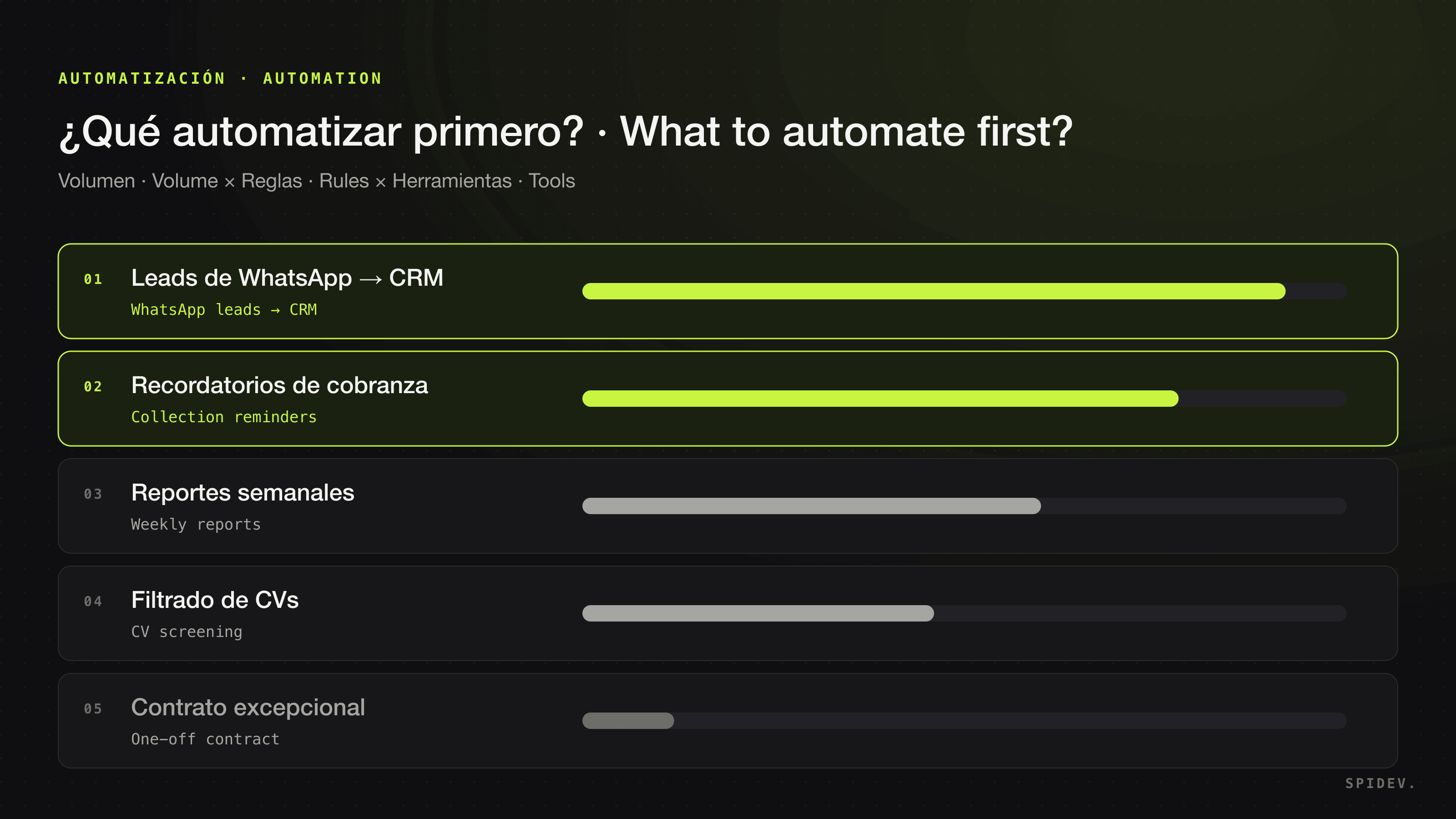
- If you do not know which process to tackle first, start with which processes to automate with AI.
Many companies end up with both: assistant licenses for the whole team and agents for the two or three highest-volume processes. They do not compete; they complement each other.
How much does each option cost?
They are billed differently:
- Assistant: a license per user per month. At the prices above, 10 Standard seats of ChatGPT Business or Claude Team billed annually add up to $200 a month. Usage charges appear here too: Microsoft bills some AI experiences by usage, beyond the license fee, and Claude Enterprise adds usage at API rates.
- Custom agent: implementation (design, build and integration), operation (monitoring and tuning) and usage: the AI model through its API — OpenAI notes that ChatGPT Business does not include API usage, which is billed separately — and channels such as WhatsApp, where Meta charges per message; the rules for that channel are in AI agents on WhatsApp Business.
The fair comparison is not license versus project, but what the process costs your company today — your team’s hours, errors, customers left waiting — versus what it costs to automate it. We break down each item in how much AI implementation costs.
How we do it at Spidev
At Spidev, based in Monterrey, we design, build and operate AI agents and automations for companies in Mexico and Latin America, in Spanish and English. They work inside what you already use — WhatsApp, CRM, ERP, email and spreadsheets — across 128+ integrations, and we run Claude, GPT or whichever model performs best for your operation. Each agent gets only the permissions it needs, connects through OAuth with encrypted keys, logs every action and asks for human approval where it matters; after launch we monitor and tune it.
The first agents reach production in weeks, not months. We start with a free consultation: we review your process, tell you what fits even if the answer is the simplest option, and deliver a fixed-scope, fixed-timeline, fixed-price proposal before charging anything. See what we automate by area in solutions: sales, customer support, finance and operations and HR and recruiting.
Frequently asked questions
Is ChatGPT enough for my business?
It is if what your team needs is to write, analyze and research faster, with a person reviewing every result: a business plan from ChatGPT, Claude, Microsoft 365 Copilot or Gemini covers that. It is not if you want a process to run on its own — answering customers on WhatsApp, updating the CRM, checking the ERP — with permissions, logs and approvals; for that you need a custom AI agent. Many companies use both.
Do ChatGPT Business, Claude, Copilot and Gemini use my company’s data to train their models?
According to the policies each vendor publishes as of October 2026, not by default. OpenAI and Anthropic do not train on data from their business plans unless you allow it, for example by sending feedback; Microsoft does not use prompts, responses or Microsoft Graph data to train its foundation models, and Google does not use your Workspace content to train models without your permission.
How much does ChatGPT for business cost?
As of October 2026, OpenAI lists ChatGPT Business, for most countries, at $20 per user per month billed annually or $25 billed monthly for a Standard seat, with a two-seat minimum. Claude’s Team plan has the same Standard-seat prices, Microsoft 365 Copilot for enterprise costs $30 per user per month paid yearly and Gemini comes included in Google Workspace plans.
What does a custom AI agent do that ChatGPT does not?
It runs a whole process without anyone asking: it starts on an event — a WhatsApp message, an invoice arriving by email —, acts in your CRM or ERP with scoped permissions, logs every action and asks a person for approval where it matters. ChatGPT and the other assistants work for the person using them, with that person’s access.
Can ChatGPT answer my customers on WhatsApp?
The business plans of ChatGPT, Claude, Copilot and Gemini are per-user licenses for your team to work with AI; they do not include an agent that answers from your WhatsApp Business number. To serve customers on WhatsApp, an AI model is connected to Meta’s WhatsApp Business Platform with your company’s rules and systems, and that is a custom agent.
Aren’t Copilot Studio and Workspace Studio AI agents already?
Yes: they are tools for building agents on Microsoft’s and Google’s platforms, and they can be enough if your process is simple and lives inside them. When the process spans WhatsApp, your CRM and your ERP, someone still has to design, integrate, test and run it, even if it is built on those platforms.