SPIDEV.
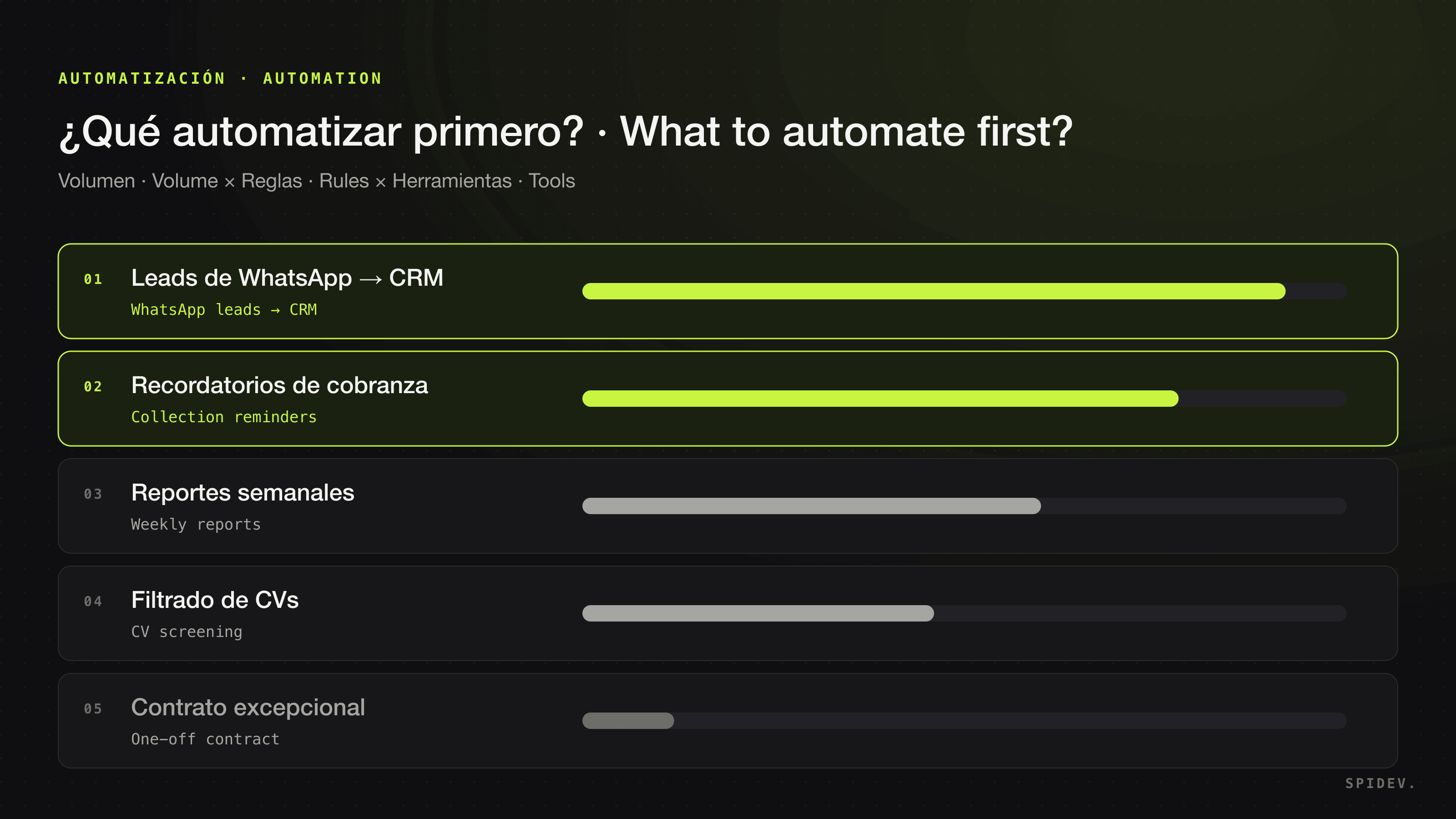
Many companies start with the same question: “where should we put AI?”. It is the wrong question. The right one is: which repetitive work is costing my team the most hours every week? Once you answer that, AI stops being an abstract project and becomes a concrete list of things to automate.
This guide sums up the criteria we use at Spidev to decide what to automate first, with examples by team, what is not worth automating yet and an exercise you can run with your team this week.
The short rule: volume, rules and several tools
The processes with the clearest return share three traits:
- High volume. It happens dozens or hundreds of times a week. Every repetition is time your team is not spending on customers.
- Known rules. Someone on your team can explain how it is done, what the exceptions are and when to escalate. It does not need to be documented; it needs to be explainable.
- Several tools. The work jumps between WhatsApp, the CRM, the ERP, email and spreadsheets. Every jump is a chance for errors and delays — and it is exactly where an AI agent connected to all those tools saves the most.
If a process meets all three, it is a strong candidate. If it meets only one, it is probably not worth it yet.
Signs a process is asking to be automated
- Someone copies and pastes the same data from one system to another.
- The same questions arrive on WhatsApp or by email every day.
- Follow-ups get forgotten: overdue payments, unanswered quotes, leads nobody replied to in time.
- Reports are built by hand every week or every month-end.
- The process stops when the one person who “knows how it is done” is out.
Examples by team
Sales
Answering WhatsApp leads in minutes and at any hour, qualifying them against your ideal customer, logging every conversation in the CRM and booking the demo. It is one of the clearest cases because volume is high and every lead that goes cold is lost revenue. More in AI agents for sales.
Customer support
Answering the usual questions with each customer’s context, triaging tickets and escalating anything that is not routine to a person. See AI agents for support.
Finance & operations
Collection reminders using your ERP data, payment reconciliation, recurring reports and vendor onboarding. These processes have very clear rules and many jumps between systems. See AI agents for finance & operations.
HR
Screening CVs against the role profile, scheduling interviews and onboarding. The hiring decision stays with a person; what gets automated is all the work around it. See AI agents for HR.
What not to automate (yet)
- Decisions with significant consequences. Approving an out-of-policy credit, negotiating a large contract or making a hire. AI can prepare the information and make a recommendation, but a person should decide.
- Processes nobody can explain. If the rules change every time someone does it, sort out the process first. Automating a mess only makes it faster.
- Low-volume processes. If it happens twice a month, the cost of automating it is hard to recover.
- Processes that live on paper or in someone’s head. An agent needs data and digital tools to work with; the first step is digitizing.
An exercise to prioritize with your team
You do not need consultants to build the first list. Sit down with the people who do the work and follow these steps:
- List each team’s repetitive processes, unfiltered. Ask: “what do you do every week that you would love to never do again?”.
- Estimate the hours. For each process, multiply how many times it happens per week by how long it takes each time. That number — hours per week — is your main criterion.
- Note which tools it touches: WhatsApp, CRM, ERP, email, spreadsheets.
- Score how clear the rules are, from 1 (every case is different) to 3 (anyone could follow the playbook).
- Rank by hours per week and, on a tie, by clarity of rules. The top two or three are your candidates.
- Decide how you will measure before you start: hours spent, response time, errors or unattended cases. Take that measurement today.
Traditional automation, chatbot or AI agent
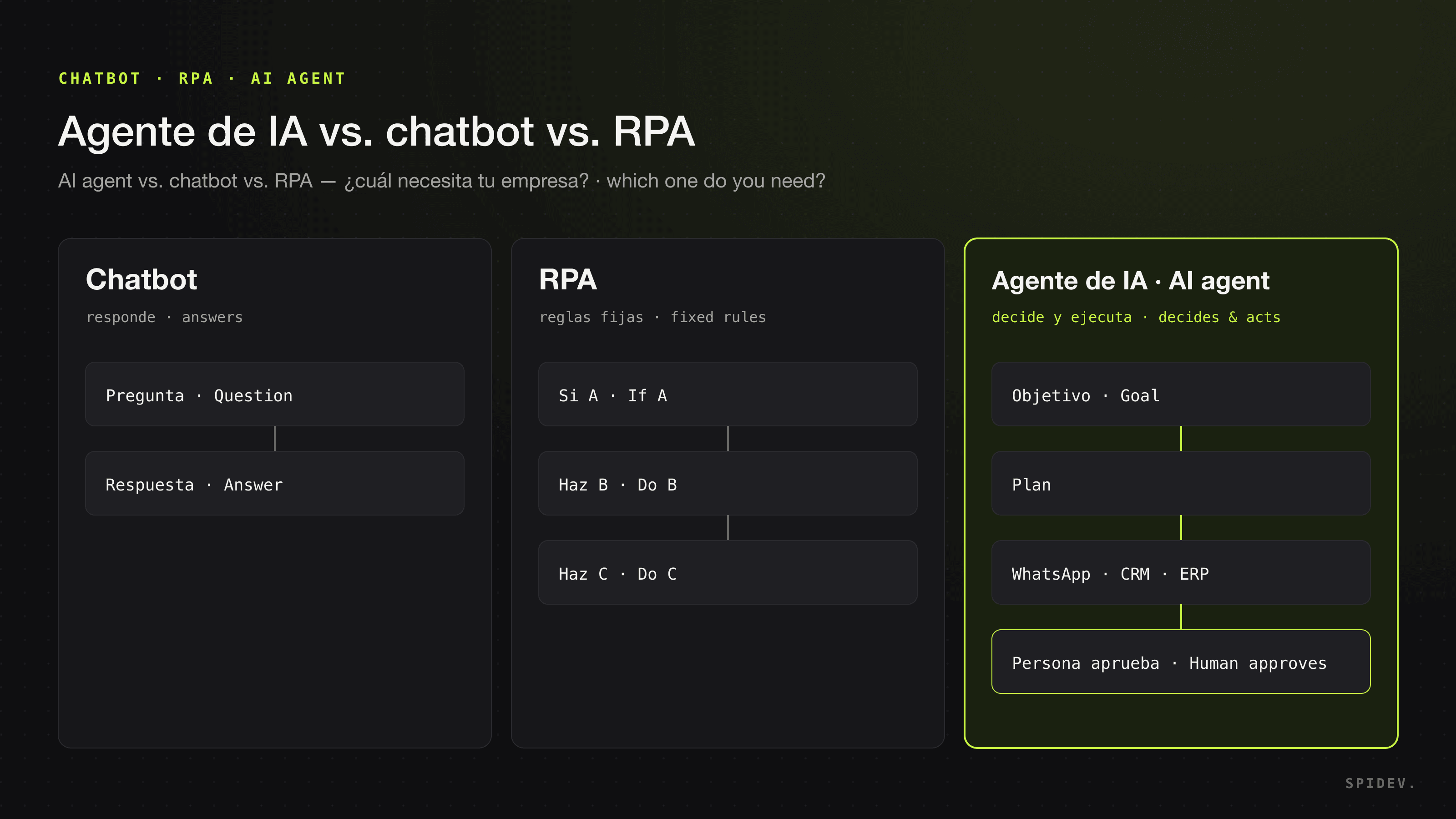
Not everything repetitive needs AI. If the data always arrives the same way, fixed-rule automation (if A happens, do B) is enough and cheaper. AI adds value when you need to read messages or documents that do not always arrive in the same format, interpret what a customer is asking for or decide which tool to use. We break down the differences in AI agent vs. chatbot vs. RPA. If you plan to build those automations yourself, compare the options in n8n, Make, Zapier or an AI agency, and to budget it see how much AI implementation costs.
How to measure whether it worked
Measure the same things before and after, from the same data source. The most useful metrics are usually:
- Hours per week your team spends on the process.
- Response time: how long a lead or customer waits for an answer.
- Errors: mis-keyed data, mis-reconciled payments, duplicate follow-ups.
- Unattended cases: unanswered leads, overdue payments without a reminder.
Be wary of anyone who promises a savings percentage before seeing your operation. The result depends on the process, the volume and how it is done today; the honest thing is to measure it.
How we do it at Spidev
Every engagement follows four steps: we audit your operation to find the highest-impact work to automate, design the agents and workflows around the tools you already use, implement the first agents in production in weeks — not months — and keep optimizing them as your operation changes. Each agent gets only the permissions it needs, every action is logged and important decisions go through a person on your team.
If you want to know which of your processes to automate first, see how we approach AI process automation or book a free consultation: we map your operation and, if there is a clear case, hand you a fixed-scope, fixed-price proposal. If there is not, we tell you.
Frequently asked questions
Which processes can be automated with AI?
Processes with high volume, rules your team can explain and that live in digital tools: answering and qualifying WhatsApp leads, keeping the CRM up to date, answering frequent customer questions, sending collection reminders, reconciling payments, building recurring reports, screening CVs and scheduling interviews, among others.
Which process should I automate with AI first?
The one that costs your team the most hours each week and has clear rules. Multiply how many times it happens per week by how long it takes each time, and start with the process with the most accumulated hours whose rules you can explain on one page.
Which processes should not be automated with AI?
The ones that happen a few times a month, the ones nobody can explain with clear rules, the ones that still live on paper, and decisions with significant consequences. For those decisions AI can prepare the information, but a person should decide.
Do I need to change my systems to automate processes with AI?
Not necessarily. An AI agent can work inside the tools you already use — WhatsApp, CRM, ERP, email and spreadsheets — connecting to them with scoped permissions.
How do I know whether the automation worked?
By measuring the same things before and after: hours your team spends on the process, response time, errors and cases left unattended. Take the measurement before you start; without that baseline there is no honest way to compare.